


Table of Contents
ToggleIntroduction
If you’re running a business in 2025, having a strong presence on social media is no longer optional—it’s essential. But between posting, engaging, and analyzing content across platforms like Instagram, Facebook, LinkedIn, and TikTok, things can quickly become overwhelming.
That’s where a social media content calendar comes in.
A content calendar is your marketing GPS—it gives you direction, consistency, and clarity. It helps you plan ahead, align content with business goals, and stay organized across your team. Whether you’re a solopreneur or managing a marketing team, this blog will walk you through everything you need to know to create and maintain a high-performing content calendar.
Let’s dive in.
What is a Social Media Content Calendar?
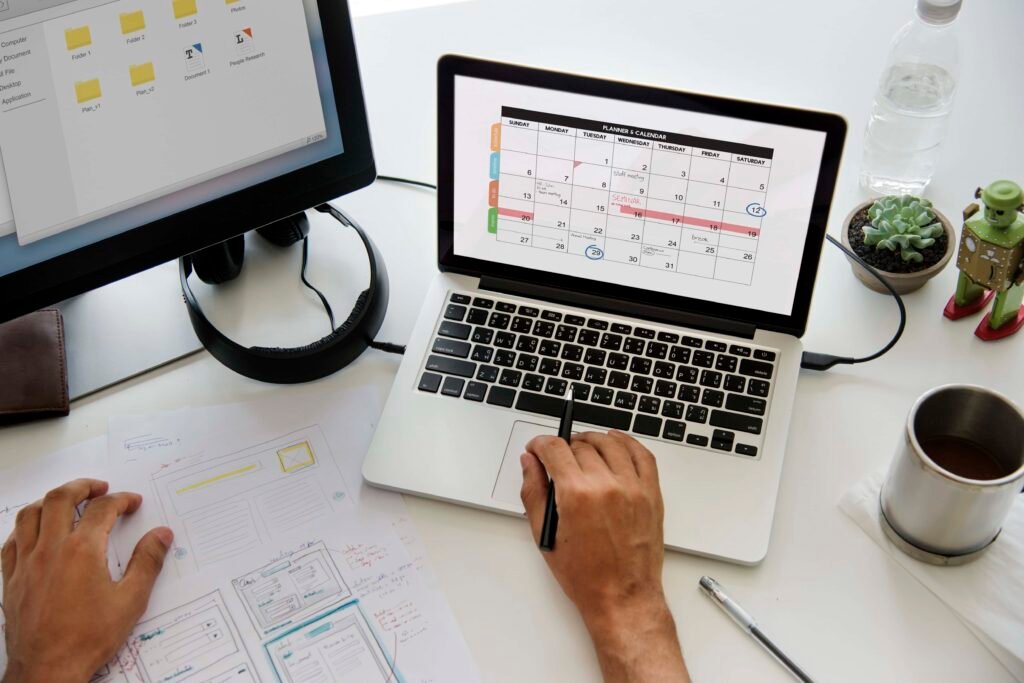
A social media content calendar is a visual workflow or schedule that outlines what, when, and where you’ll publish content across your social media channels. It can be as simple as a Google Sheet or as advanced as project management tools like Notion, Trello, or ClickUp.
Key Elements of a Good Content Calendar:
- Post Date & Time
- Platform (e.g., Instagram, LinkedIn, etc.)
- Content Format (Reel, Post, Story, etc.)
- Topic or Theme
- Visual Asset or Creative
- Caption/Copy
- Hashtags
- Call-to-Action (CTA)
- Owner/Assigned To
- Approval Status
Why You Need a Content Calendar in 2025
1. Consistency Wins
Algorithms love consistency. A calendar helps you maintain a steady posting schedule without scrambling for last-minute ideas.
2. Strategic Planning
You can align content with product launches, holidays, events, or sales cycles. This prevents random posting and ensures your content supports your business goals.
3. Team Collaboration
If you work with a team, everyone knows who’s doing what and when. It reduces confusion and improves accountability.
4. Content Quality
Pre-planning gives you time to focus on content quality—better visuals, copy, and strategy.
5. Data-Driven Growth
You can track what works and optimize future content based on real analytics.
Step-by-Step Guide: How to Create a Social Media Content Calendar
Step 1: Define Your Business Goals
Your content calendar should be tied directly to your business objectives.
Ask yourself:
- Are you looking to increase brand awareness?
- Generate leads or sales?
- Educate your audience?
- Build a community?
Example Goals:
- Drive 1,000 new website visitors in the next 30 days.
- Grow Instagram followers by 10% this quarter.
- Generate 50 qualified leads from LinkedIn.
Knowing your goals helps you reverse-engineer the type of content you need.
Step 2: Choose Your Platforms
Not all social media platforms are created equal. Choose the ones that align with your audience and business type.
| Platform | Best For |
| Visual brands, product-based businesses | |
| B2B, personal branding, consultants | |
| TikTok | Viral growth, Gen Z & Millennials |
| Local businesses, communities | |
| YouTube | Long-form content, education |
| E-commerce, lifestyle content |
Pro Tip: Focus on 2-3 platforms initially and scale as you grow.
Step 3: Decide on Content Types & Formats
Every platform has unique content formats. Mix and match for maximum impact.
| Content Type | Example Formats |
| Educational | Tips, how-tos, carousel posts |
| Inspirational | Quotes, case studies, testimonials |
| Entertaining | Memes, reels, relatable content |
| Promotional | Product posts, offers, launches |
| Behind-the-scenes | Office culture, making-of videos |
| Engagement | Polls, Q&As, quizzes |
Make sure you balance content types:
- 80% Value-driven
- 20% Promotional
Step 4: Build a Content Theme Structure
Assign themes to each day or week. This keeps your content organized and relevant.
Example Weekly Theme Calendar:
| Day | Theme |
| Monday | Motivation & Branding |
| Tuesday | Educational Tips |
| Wednesday | Engagement Posts |
| Thursday | Testimonials & Results |
| Friday | Promotional Offers |
| Saturday | Behind-the-Scenes |
| Sunday | Reels & Trends |
You can rotate themes based on seasons, campaigns, or trending topics.
Step 5: Use a Content Calendar Tool or Template
Choose a tool that works for your team. Here are a few options:
- Google Sheets/Excel – Free and simple
- Notion – Highly customizable and great for teams
- Trello/ClickUp – Great for visual workflows
- Airtable – Flexible and scalable
- Later, Buffer, Hootsuite – For scheduling and planning
Pro Tip: Create a color-coded calendar to visually differentiate platforms and content types.
Step 6: Create Content in Batches
Batch-creating content saves time and keeps your messaging consistent. Set aside one or two days per month to:
- Write captions
- Design graphics
- Record videos
- Edit visuals
- Schedule posts
Batching allows you to get into a creative flow and avoids burnout.
Step 7: Schedule and Automate
Use scheduling tools to post automatically across platforms. Some of the best tools in 2025 include:
- Meta Business Suite (Facebook + Instagram)
- Later
- Buffer
- Metricool
- Canva Scheduler
- Planoly (for visual planning)
Automation saves time and ensures you never miss a post, even on weekends or holidays.
Step 8: Analyze and Optimize
The final (and ongoing) step is reviewing your analytics.
Track:
- Engagement Rate
- Follower Growth
- Reach and Impressions
- Click-through Rate (CTR)
- Conversion or Lead Generation
Tools like Instagram Insights, Facebook Analytics, YouTube Studio, and LinkedIn Analytics will help. Double down on what works and adjust what doesn’t.
Bonus Tips to Make Your Calendar Work Even Better
✅ Use Content Pillars
Create 3–5 core pillars that your brand consistently talks about.
Example for a fitness brand:
- Workouts
- Nutrition
- Mindset
- Client Wins
- Fitness Products
Every post you create should fall under one of these pillars.
✅ Repurpose Content
Turn one piece of content into multiple formats:
- Blog → Carousel Post → Reel → Email → LinkedIn Post
- YouTube Video → Shorts → Instagram Reel → Twitter Thread
This saves time and maximizes your content reach.
✅ Include Important Dates
Mark holidays, launches, events, and promotions in your calendar.
Example:
- Valentine’s Day Campaign
- Summer Sale
- World Environment Day
- Black Friday Strategy Week
✅ Leave Room for Trends
Keep 10–20% of your calendar flexible for trending topics, memes, and real-time marketing moments.
Sample Content Calendar Template (1 Week)
| Date | Platform | Theme | Content Format | Caption | CTA | Status |
| May 13 | Tips Tuesday | Carousel | “5 SEO tips to boost website traffic” | Save & Share | Scheduled | |
| May 14 | Thought Leadership | Text Post | “Why content consistency beats virality” | Comment your thoughts | Draft | |
| May 15 | TikTok | Trend | Reel | Behind-the-scenes of ad campaign | Follow for more tips | In Review |
| May 16 | Testimonial | Video | Client review of product | Visit link in bio | Scheduled | |
| May 17 | Promo | Single Image | Weekend sale – 30% OFF | Shop Now | Scheduled |
Conclusion
In 2025, creating a social media content calendar isn’t just about scheduling—it’s about being intentional, strategic, and aligned with your business goals. Whether you’re a startup or an established brand, a calendar will help you show up consistently, engage your audience meaningfully, and grow your business with less stress.
Start small, keep it simple, and iterate as you grow.
You don’t need to be everywhere—you just need to show up in the right places with the right content at the right time.